
What Is the Burning Bridges AI Video Trend?
The Burning Bridges AI trend explained: the chandelier party, the cup-and-point sequence, and how to make an original one-photo clip.
The short version
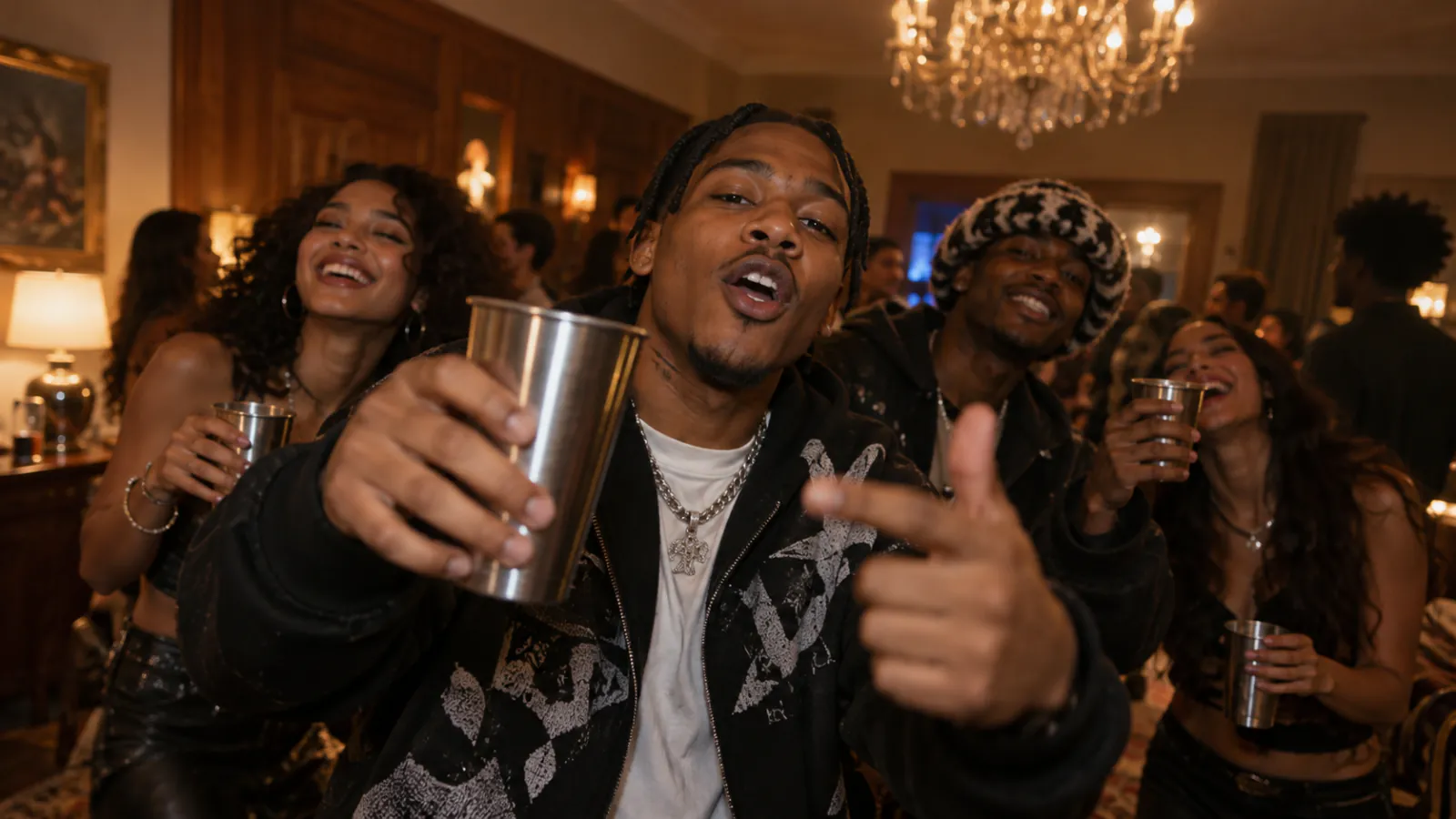
The Burning Bridges AI trend is a short-form party video: one main character mouths along to the beat while a handheld camera catches a cup raise, a point toward the lens, a collar gesture, friends leaning in, and a laughing crowd finish.
The fixed action sequence is the whole trick. Viewers recognise the format instantly even when the main face is new, which is exactly what makes it travel across TikTok, Reels and Shorts.
Why the format works from one photo
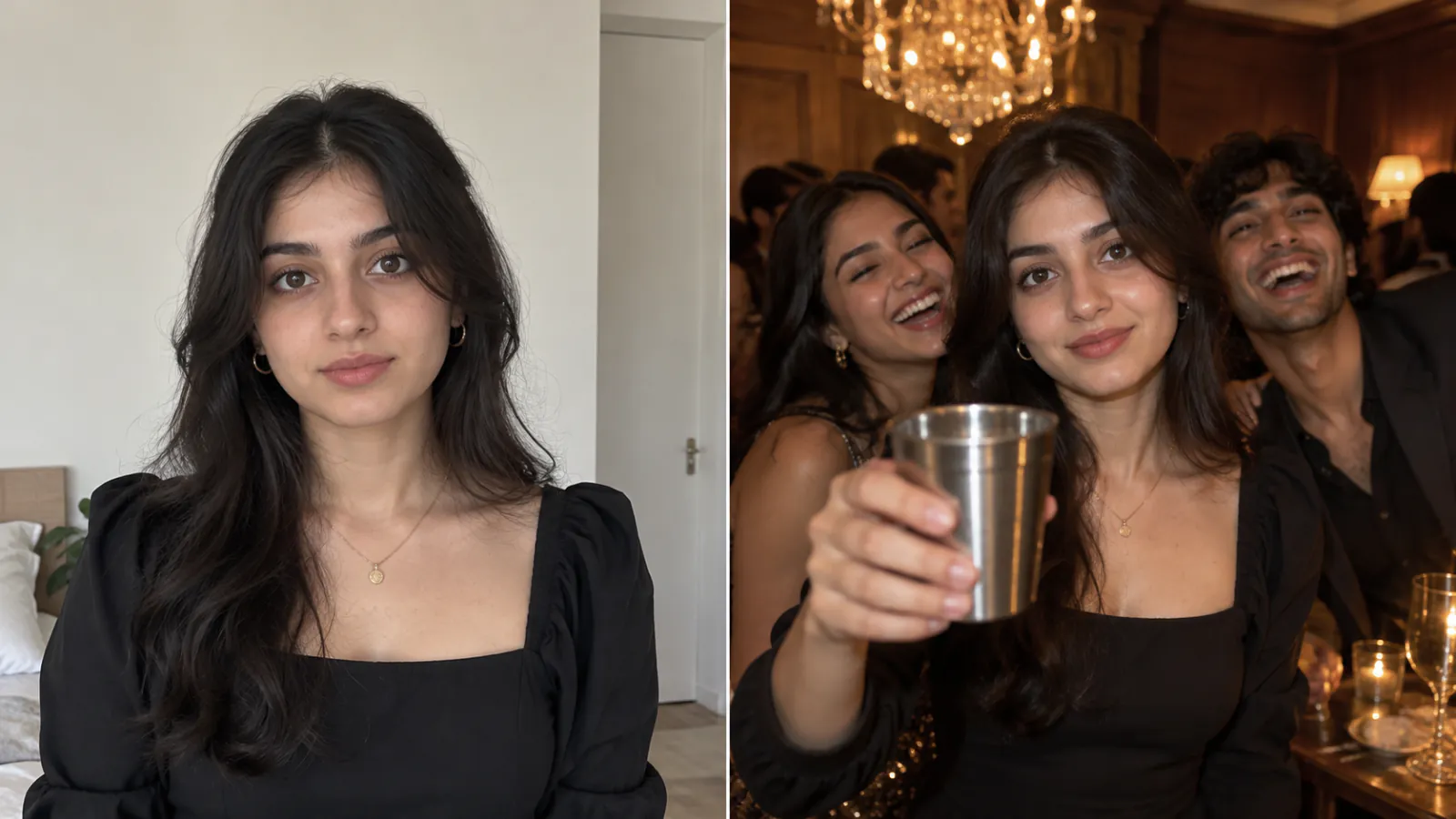
The generator uses one clear photo as the identity anchor. The party room, friends, cup and camera movement are generated around that main character, so the input stays simple and the scene stays recognisable.
A sharp front-facing portrait gives the model enough information to preserve the face, hair, clothing and accessories while it creates the action around them.
What makes a clip read as "the trend"
Four things carry the recognition, and all four come from the fixed scene rather than from your photos:
- Chandelier light and wood-panelled party room
- A handheld camera close to the main character
- A stainless-steel cup, a lens-point, and the collar gesture
- A fifteen-second 16:9 runtime made for social feeds
How to make your own version
You do not need an editor or a prompt. Open the Burning Bridges AI video generator, upload one clear photo, and press generate. The scene, camera move and action sequence are applied for you; the render usually takes a few minutes.
Use a front-facing, evenly lit portrait with no sunglasses or extra faces in the background. Read the How to make a Burning Bridges AI video guide if you want to understand the photo requirements before generating.
What it costs
There is no subscription and no signup credits. Packs are one-time: $9.90 for one video, $19.90 for three, $29.90 for five, and every render produces the same fifteen-second 16:9 720p party clip. A render only spends its 100 credits when it actually completes - if a task fails, including a refusal by the provider safety check, the credits return to your balance automatically.
You can compare the packs on the pricing page before you start.
Common questions
Is it the original audio? The generated MP4 is silent - we never ship copyrighted recordings, and provider checks block copyrighted audio, so add a track you have the rights to when you post. Can you use a video instead of a photo? Not yet - the workflow is built around one clear still photo. Can you change the backdrop? Not currently; a different room would be a different format.
Ready to try it? Start with the Burning Bridges AI video generator and one photo.