
Choose one clear photo
Start with one front-facing portrait with even lighting. A calm, well-framed image gives the model a stronger identity reference than a group shot, screenshot, or frame taken during fast motion.
Generate the viral one-person party format without learning video prompting. Burning Bridges AI combines one identity reference with a fixed performance scene and renders a fifteen-second 16:9 clip.
15s
Vertical party clip
16:9 / 720P
Ready for short-form posts
100 credits
Technical failures are refunded
One photo in. One party video out.
Add your photo
Use one clear, front-facing photo with a well-lit face. JPG, PNG or WebP up to 5MB.
Upload your photo (0/1)
Generated with Seedance 2.0
Your photo stays the main character
The prompt protects the face, hair, clothing and accessories from your reference photo while the party moves around them.
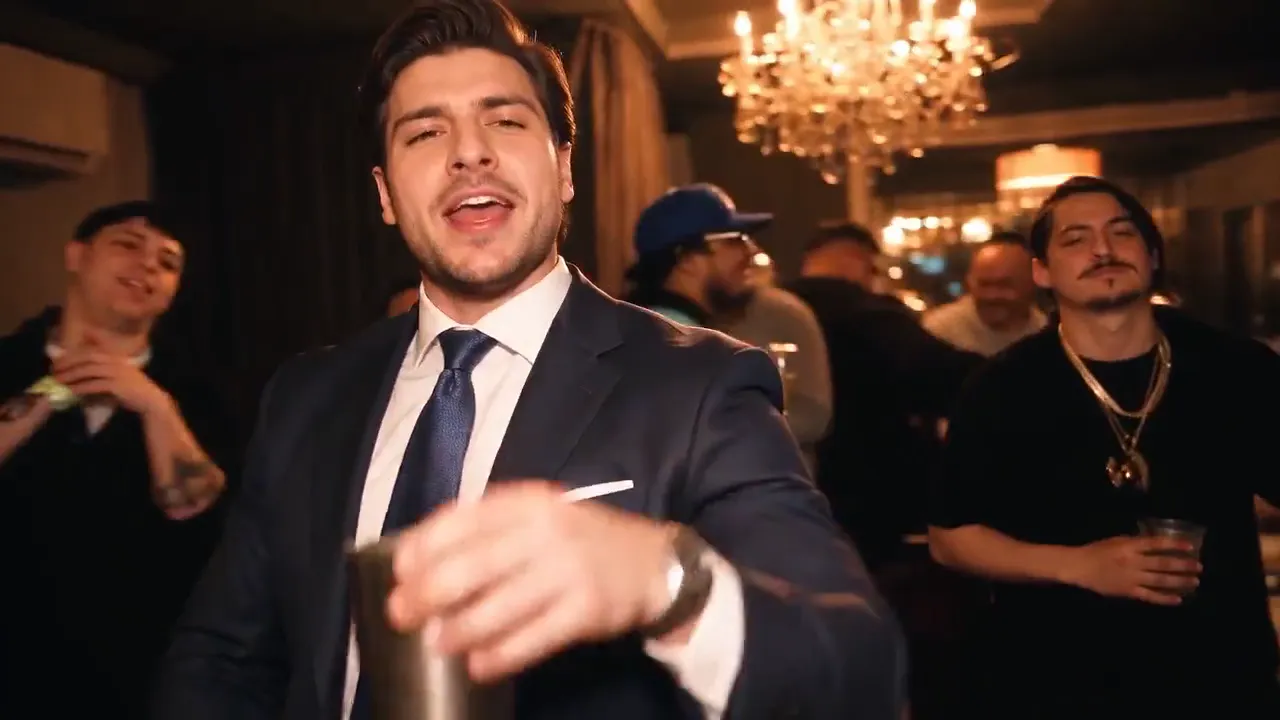
This loop is a sample render made with the tool from one uploaded photo - no stock footage, no external reference clip, no real person.
General AI video tools expose dozens of models, ratios, resolutions, motion controls, and prompt fields. That flexibility is useful for filmmaking but slows down a trend workflow. This generator narrows the choices to one clear photo and one fixed party sequence.
The production path runs a reference-to-video model with one identity reference and a prompt-led party scene. The fifteen-second duration gives the flick, cup, point, collar, turn, and crowd beats time to land in a 16:9 social clip.
Generation runs as an asynchronous task. After submission, the interface shows a processing card and polls for status instead of holding the browser request open. When the provider reports success, the video appears in Recent Creations. Any render that fails - including a refusal by the provider's content-safety check - restores the reserved credits automatically.
Three steps, no settings. The generator handles the scene for you.
Start with one front-facing portrait with even lighting. A calm, well-framed image gives the model a stronger identity reference than a group shot, screenshot, or frame taken during fast motion.
Add one photo of the person or character you want to place in the party. The file is checked before generation, and any render that fails returns the credits automatically.
Upload one photo and Burning Bridges AI renders the clip in the background from a fixed chandelier-party scene, then shows the live task state with a download action when it finishes.
The generator uses a single prompt-led chandelier party rather than a template gallery. The room, crowd, handheld camera and action sequence come from the same scene direction, so your photo remains the only creative input.
A stable preset lets the backend validate duration, resolution, media count, and model support before it reserves a video. It also makes failures easier to diagnose. If a result swaps faces, the first fix is usually a better source photo, not a longer prompt. Clear inputs and fixed roles outperform extra adjectives.
One-time packs start at $9.90 for one video (100 credits), then $19.90 for three and $29.90 for five. Every render is a fifteen-second 720p clip and credits never expire.
Ready to make your own? Open the burning bridges ai video generator and turn one photo into a fifteen-second clip.
One clear photo and 100 credits are enough. Upload one person or pet, press generate, and the fixed scene prompt handles the camera, action, and aspect ratio for you.
Usually a few minutes. You can leave the page - the clip is saved to your creations, and the reserved credits are only spent once the render completes.
The reserved credits return to your balance automatically, including refusals by the provider's content-safety check. You are only charged for clips you actually receive.