
Choose one clear photo
Start with one front-facing portrait with even lighting. A calm, well-framed image gives the model a stronger identity reference than a group shot, screenshot, or frame taken during fast motion.
There is no free trial and no signup credits - Burning Bridges AI is charged per video. Open the generator with your own photo to prepare a run, then buy the pack that matches how many clips you plan to post: one, three or five.
15s
Vertical party clip
16:9 / 720P
Ready for short-form posts
100 credits
Technical failures are refunded
One photo in. One party video out.
Add your photo
Use one clear, front-facing photo with a well-lit face. JPG, PNG or WebP up to 5MB.
Upload your photo (0/1)
Generated with Seedance 2.0
Your photo stays the main character
The prompt protects the face, hair, clothing and accessories from your reference photo while the party moves around them.
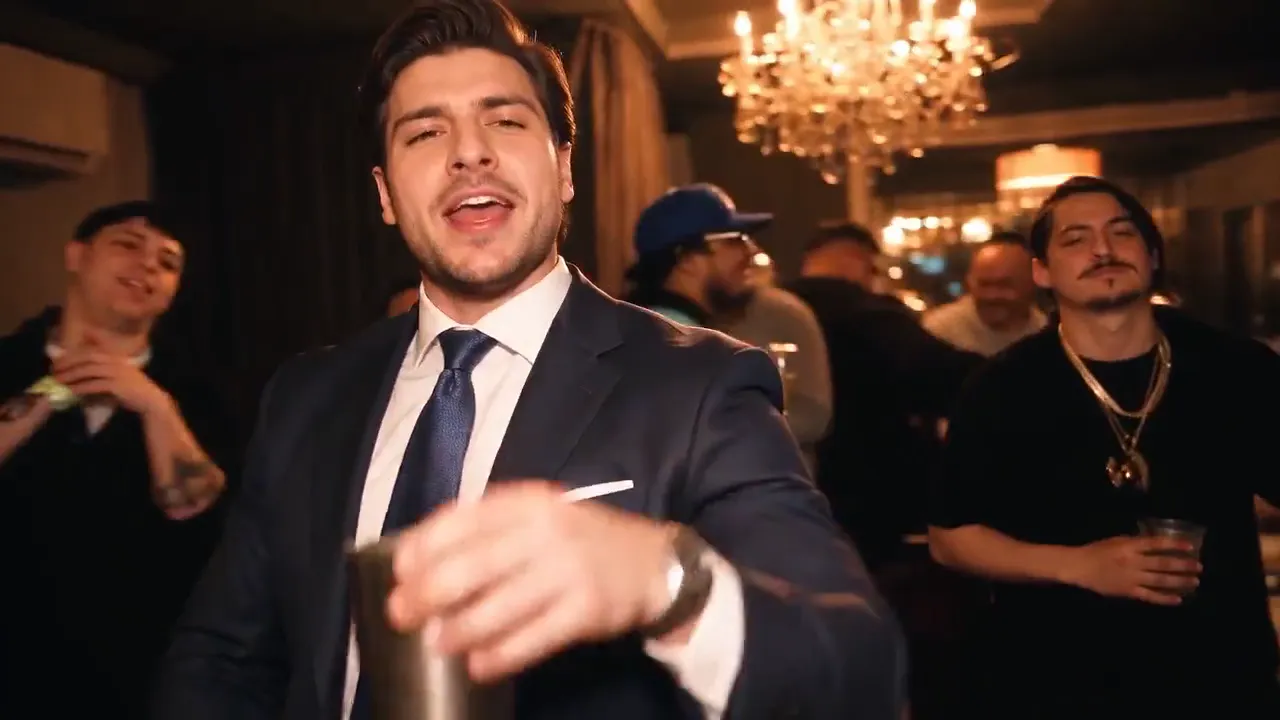
This loop is a sample render made with the tool from one uploaded photo - no stock footage, no external reference clip, no real person.
The generator runs online in the browser with a focused one-photo workflow: fixed identity instructions, a fifteen-second duration and 720p 16:9 output. There is no free tier - the smallest purchase is a single $9.90 video, and it produces exactly the same clip as the larger packs. Review your source photo before spending credits, because a clear, well-lit portrait produces the most stable main character.
Credits are added after a confirmed payment and never expire. You can render as soon as the pack is active, and each render spends 100 credits.
A render that produces no clip does not consume credits. The task record links to the exact reservation, and a failure or timeout triggers a revocation that restores the balance. A refusal by the provider's content-safety or copyright check is treated the same way, so you are never charged for a clip you did not receive. Please still upload material that follows the terms - repeated prohibited submissions can lead to account restrictions.
The workflow is the same whether you buy one video or ten.
Start with one front-facing portrait with even lighting. A calm, well-framed image gives the model a stronger identity reference than a group shot, screenshot, or frame taken during fast motion.
Add one photo of the person or character you want to place in the party. The file is checked before generation, and any render that fails returns the credits automatically.
Upload one photo and Burning Bridges AI renders the clip in the background from a fixed chandelier-party scene, then shows the live task state with a download action when it finishes.
Start with one clear, well-lit portrait. The fixed camera path is the easiest format for the model to keep stable. Pet portraits can also work well because distinct fur markings give the model strong visual anchors. Save harder source photos until after a successful test.
A fixed workflow makes the cost predictable: every render uses 100 credits, and larger packs lower the price per video. Any render that does not produce a clip - technical failure, cancellation, timeout, or a refusal by the provider's content-safety or copyright check - returns its credits to your balance automatically. You are only charged for renders that complete successfully.
One-time packs: $9.90 for one video, $19.90 for three, $29.90 for five. Every render is a full fifteen-second 720p 16:9 clip, so the five-video pack has the lowest price per clip.
Ready to make your own? Open the free burning bridges ai video and turn one photo into a fifteen-second clip.
No. There is no free trial and no signup credits - Burning Bridges AI charges per video, starting at $9.90 for one. Every render costs real GPU time at the provider, so we charge per clip instead of hiding it behind a monthly plan.
Buy the single video pack. It is the smallest purchase we offer and produces the same fifteen-second 720p clip as the larger packs - you are paying per video, not for quality.
Browsing. Every template, example and guide is free to read, and the tool is free to open and configure. You only pay when you ask us to render a clip: there is no signup credit and no free render.